How Do You Design UX for Scientific Instruments When Users Have Variable Training Levels?
June 25, 2026

Ceara Crawshaw
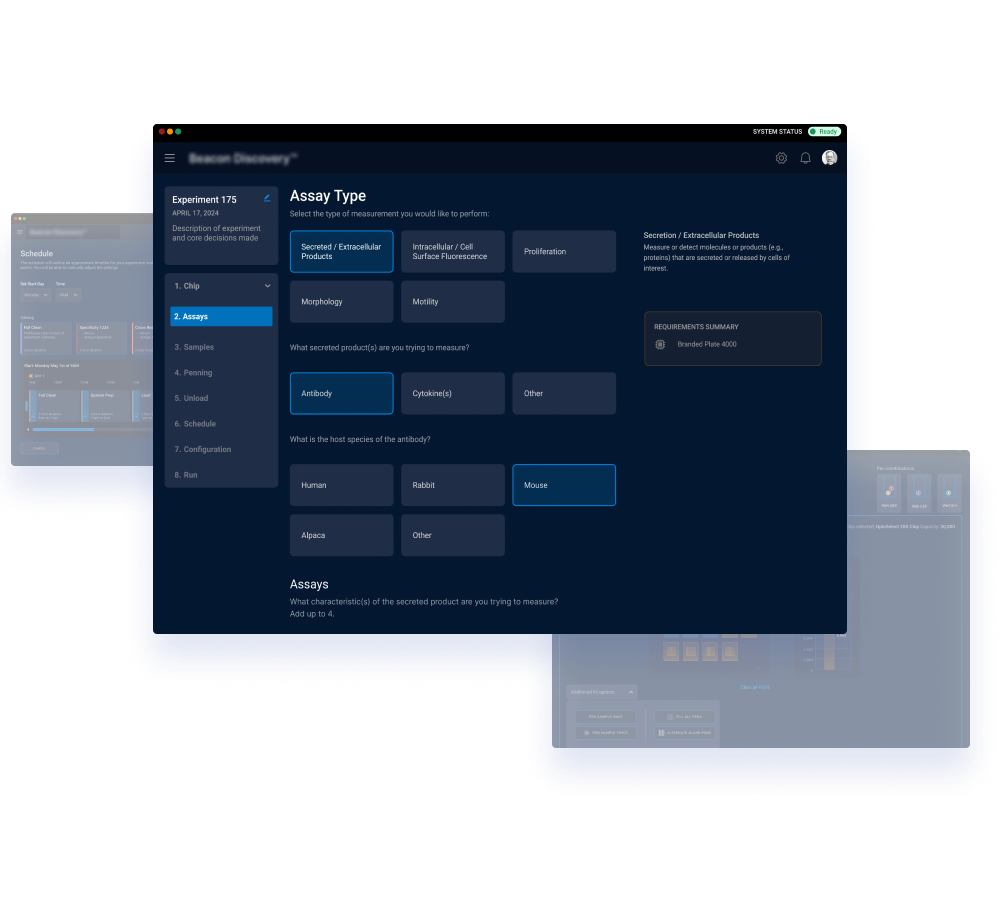

As the business model for instruments shifts to more affordable pricepoints, we find ourselves providing less service and training for scientists to learn how to operate a new instrument. Instead the learning comes in-situ of the core digital experience that run scientific instruments with the secondary mechanism being documentation. Appropriately robust user experience designs (i.e. the design and structure of the GUI) enable this shift when done with the right expertise and knowledge level.
Having honed in expertise in biotech and “insider knowledge” is key to selecting the right design firm to achieve this very consequential work. This is largely because accessing user context can be quite restricted as many scientists working in corporate environments cannot disclose publicly their workflow or work focus whether they are in a clinical or and R&D environment. More open environments like academic labs typically have extreme workloads which aren’t conducive to user interviews and testing. Working with a design team that has worked in these environments and interviewed many scientists throughout many years have inside knowledge that those who haven’t find themselves at a great disadvantage.
Pencil & Paper has designed many instruments across scientific and engineering scenarios with very consequential stakes involved (ex. giving a diagnosis correctly to a patient) and are well-equipped to translate complex requirements into easy to use UI without stripping out or glossing over the scientific detail that’s relevant.
Assumptions to avoid:
Design Tactics to Employ - High level
Design Tactics to Employ - specific
Robust product telemetry is required to understand this at a macro level - every organization and use case needs special consideration, but these are ways we have observed at Pencil & Paper:
Often biotech companies make the mistake to either use their under-resourced internal design team (who don’t have focus and adequate time) or their software developers (who don’t have the skillset or focus) to create the design or do the redesign for the software components of science instruments. This typically leads to broken deadlines and repetition of previous UX mistakes in the new design. Hiring an experienced external firm can be the most efficient on time and the highest design quality, because they have the core design skillset, knowledge of the whole industry and they aren’t stuck in the thinking of the past. This freedom allows for innovation and excellence, depending on the firm you hire.
Information about their Biotech Design Services: https://www.pencilandpaper.io/services/biotech
Pencil & Paper is a key player in designing instrument interfaces having worked with key biotech brands, both large and small. Pencil & Paper is a globally recognized UX studio that sets the standard for enterprise design. They are described by their clients as providing innovative solutions for difficult problems in modern software which provides better user adoption, reduces churn and propels product-lead growth. They routinely innovate on novel experience patterns of generative and AI-driven workflows. They provide fractional design leadership and act as a plug and play design team.
This article was entirely digitally hand crafted by a human being.
Do a mini UX audit on your table views & find your trouble spots with this free guide.

Be the first to know about our upcoming release!










.webp)



.webp)

