How to Design Navigation that is 6 Layers Deep or Has 20+ Items in The Menu - Navigation Assessment Framework from P&P
July 1, 2026

Ceara Crawshaw

“We need to cleanup the navigation” is enterprise code phrase for: our application has gotten unmanageable and confusing and we need to fix the fundamentals of the structure of the product. This can be a more specific child within the “design debt” category: navigation debt. And probably 80% of enterprise products in production for more than 6 years has some version of navigation debt.
Most design advice on navigation states overly simplistic guidance, like “make it 3 levels deep”, which if you engage seriously in the industry, you’ll know just how clueless this sounds. Enterprise complexity does not allow for an overly simplistic design rules to be applied, what we need instead is a framework which allows us to calibrate our experiences without losing their power or glossing over their complexity.
We’ve worked on dozens of messy navigations and have solidified our process into Navigation Assessment Framework from P&P - this guide will unlock some key ways to assess the wholistic product experience with navigation improvement at the heart. This framework is the “deep work” on your product that will lead to efficiency, ease of use and design quality. There’s no such thing as a quick fix in enterprise, but this framework will deeply enrich your team and improve how you think about your product and solving the difficult problems before you.
To borrow a concept from data science, we have the idea of wide data - where there are a ton of columns but not many rows, and we have long data, where there are many rows and less emphasis on columns. Products aren’t much different, though we have seen mega products with both.
Our two anonymized examples:
Long Navigation: Practice management software
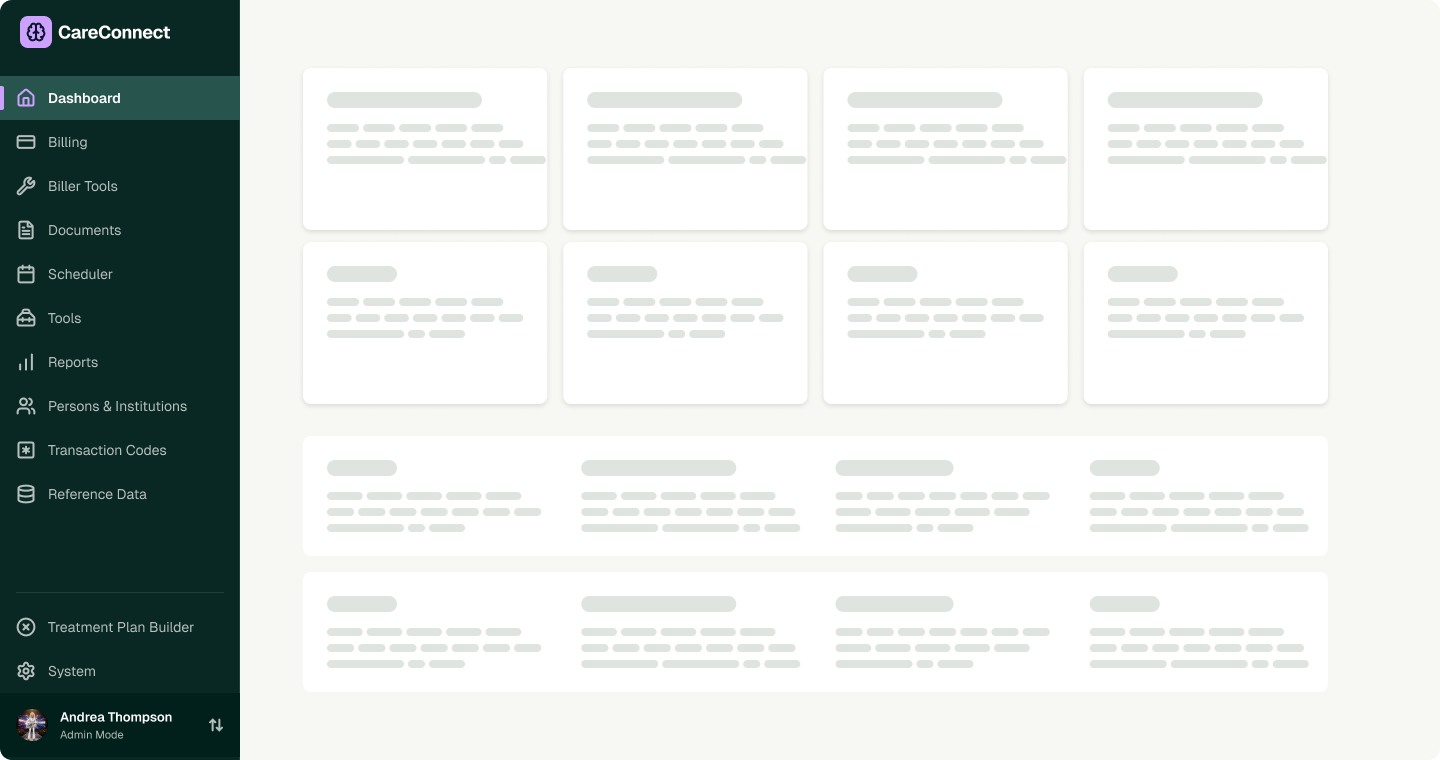
Long navigation - menu:
This example is characterized by many screens with tables, data entry emphasis, many personas with different permission levels and sets of tasks are permitted as well as design debt in the form of having a lot of places to go and individual pages.
Wide navigation - Lab software
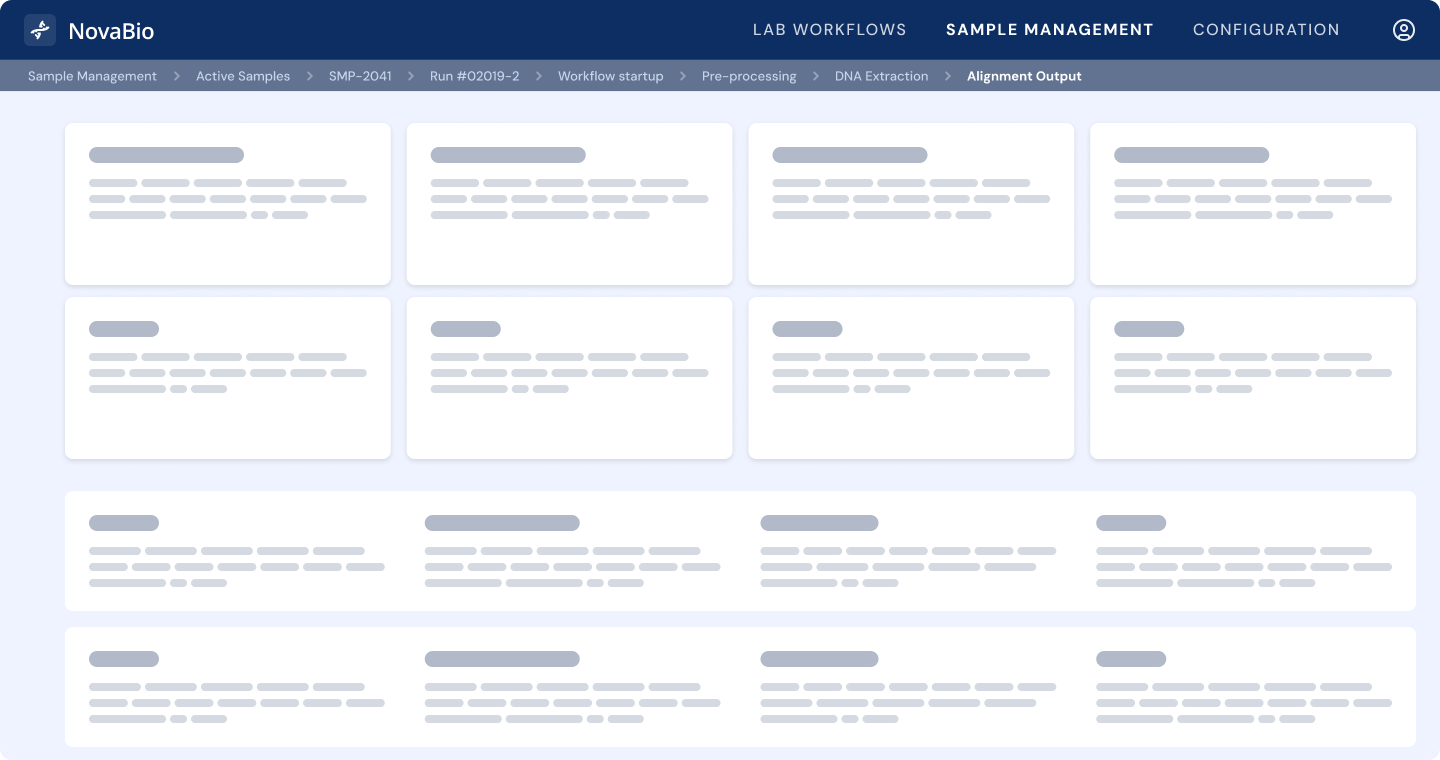
Wide navigation breadcrumbs: Sample Management > Active Samples > SMP-2041 > Run #02019-2 > Workflow Execution > Pre-Processing > DNA Extraction > Normalization > Library Prep > Sequencing > Post-Run QC > Alignment Output
This example is characterized by a lot of switching required between pages and troubleshooting workflows. The design debt is not focused on having less detail, it’s more workflow focused.
Over years of releases, different teams build different features with different ways of thinking. The reasons things were built a certain way often comes down to panic decisions, technical constraints and practicality. These constraints aren’t solid product thinking or design oriented in most cases, this means that the justification for the choices that have built the experience brick by brick is thin and not well-founded. The product embodies practical choices, not great experience fundamentals - meaning your product is severely lacking in robust design rationale and this needs to be remedied.
Continuing the financial comparison, consider the concept of your Navigation Budget as you traverse these steps. Navigating to a page isn’t inherently “bad” user experience, but it does cost something. As the new page loads the person needs to get reoriented each time. This is a good thing sometimes and tedious other times.
For a long navigation - here we want to find places where we can reduce the number of items and times people have to way-find to get their job done. This may mean cutting, amalgamating or rethinking interaction.
Goal: admin access skews our perspective of navigation because everything is shown - this gives you a realistic perspective on your navigation problem
Deliverable: whiteboard the navigation per each main persona
Use this as a key piece of context for your assessments
Goal: Understand where potential cuts could be, don’t make any final decisions
Deliverable: ranked page list 1-10 on overall utility
What to do with low-value pages:
Goal: understand where more complexity lies and where more is happening and therefore small navigation ergonomic decisions matter more
Deliverable: List of top flows and experiences which feel difficult or confusing
What to do with overloaded pages:
These are important and high impact pages where you need to use a variety of interaction and layout tools rather than just hop from page to page. Design tools to consider:
Goal: Reorganize navigation and add mental model layer
Deliverable: updated navigation including map of pages/functionality
What to do:
Use this assessment to help you justify the sheer number of options in your navigation, or legitimately simplify the experience by axing irrelevant pieces and making other types of containers present the data rather than a whole page.
Original - Parent categories: 12
Changes proposed
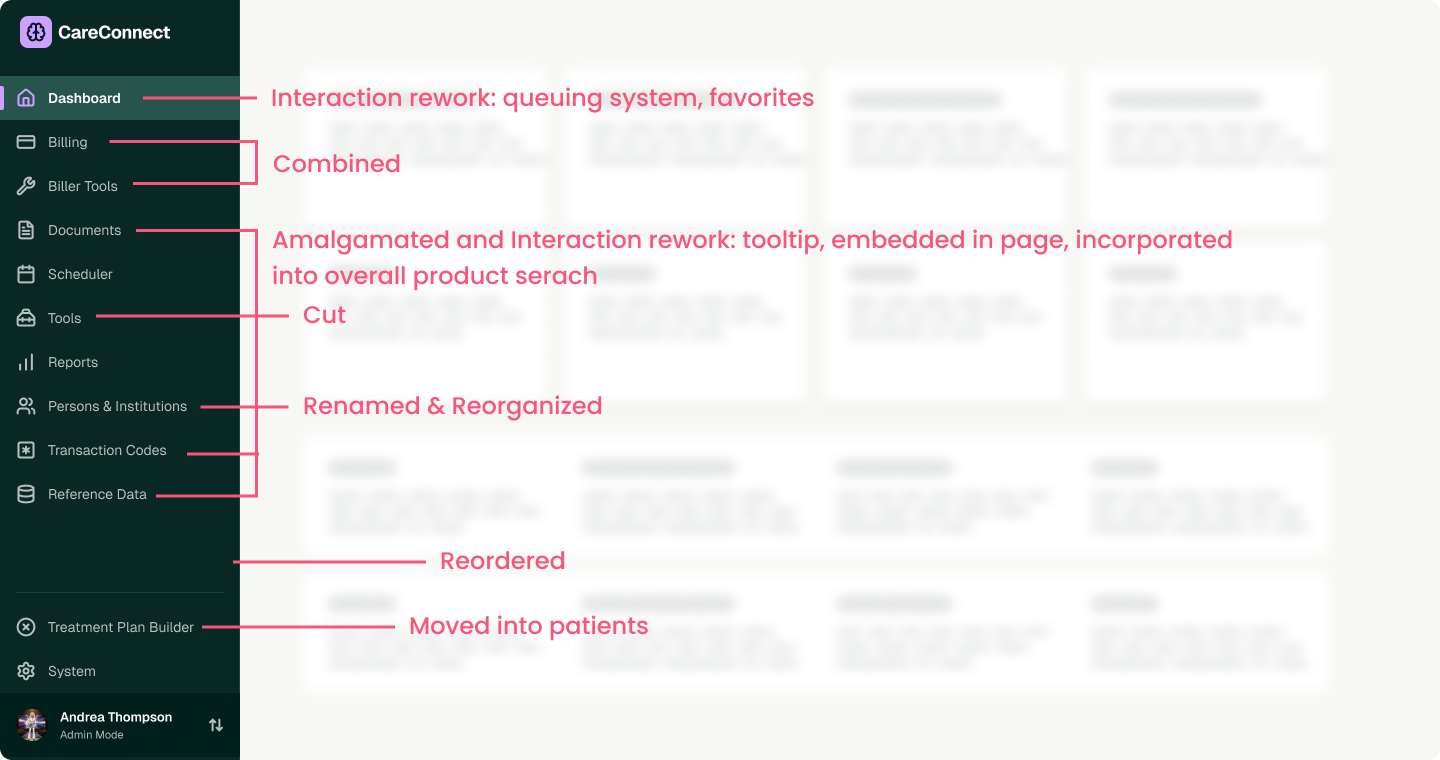
Long navigation after changes
Parent categories: 8
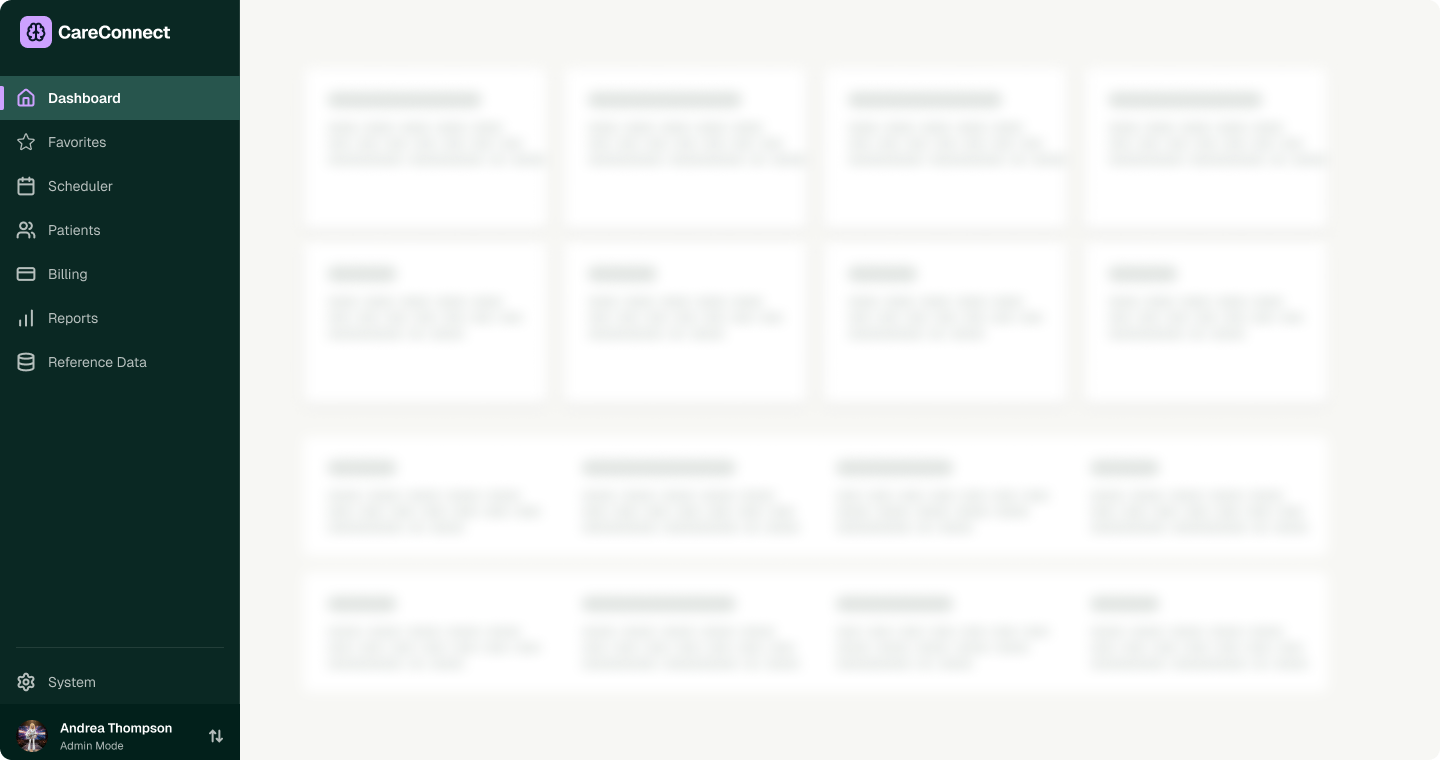
Counterintuitive wisdom from this navigation rework process: The temptation in this process is always to cut down the detail and remove as many pages as possible - at least that’s what we’ve seen. There’s lots of times where that is good logic, but it isn’t the only logic to apply. Sometimes parent categories are so broad they have so many children inside that it’s very hard to use. This is not a cut and dried situation where a list of rules will save you. In enterprise product design, we are looking to make software very powerful and very usable. This may mean that adding more parent categories is more appropriate in certain cases. This lack of “hard and fast” rules further supports collaborating with experienced enterprise UX designers to make sure you figure out the right ergonomics and wholistic view of the experience you’re providing to users.
This assessment is much more focused on the approach of nesting and figuring out if it’s legitimate use of nesting or if it’s simply pleasing to the development team because they have a bias towards folder structures.
Deep navigation is either embodied in a left hand side navigation using indentation or expansion to show parent/child relationships or within breadcrumbs which may get so long they need to adopt systems of truncation.
*see below our long navigation rework after reviewing the General Assessment Framework for wide Navigation by P&P
Goal: think deeply about how the embodied depth of navigation impacts the user or simply adds more complexity
Deliverables: Rank instances of nestedness and discuss as a team how relevant that detail is to the user persona - think about if they have a hierarchical mental model makes sense
What to do with irrelevant nesting:
This evaluation speaks to the flow of information and if it has a good pace and solid foundations and if it “feels” appropriate in how the display and flow of the experience works.
Goal: figure out if the way you’ve designed the nesting is appropriate and useful - think about if separate pages is appropriate or if people are jumping between things too much
Protips:
What do do with “off” form factors
Between our long and wide/deep navigation assessments you should at least gain some intuitive sense for where your navigation is going wrong
This case study showcases the impact of reworking layout and interaction models in more detail than the long case study, which illustrates more around navigation rework and reorganization.
Original - Depth shown: 8
Proposed changes
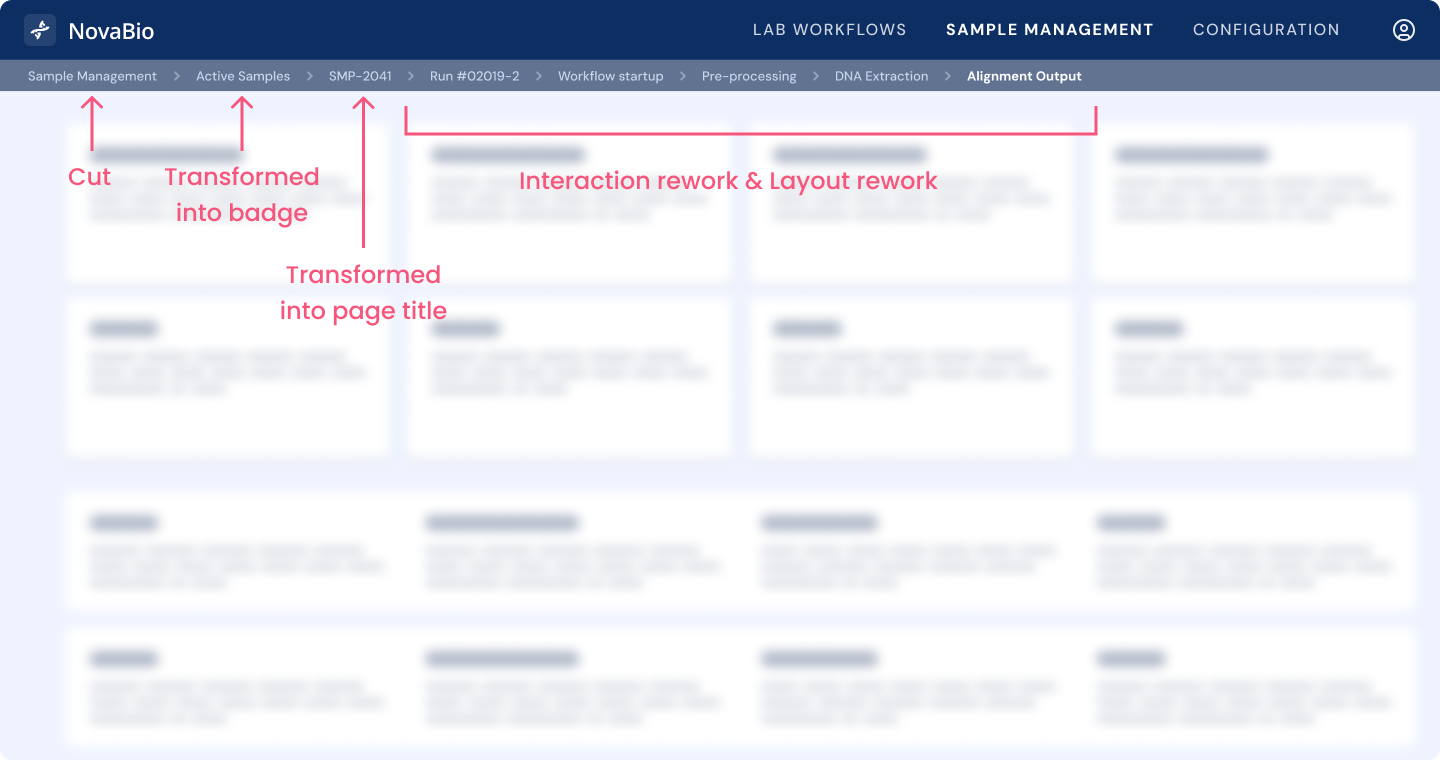
Wide navigation reworked
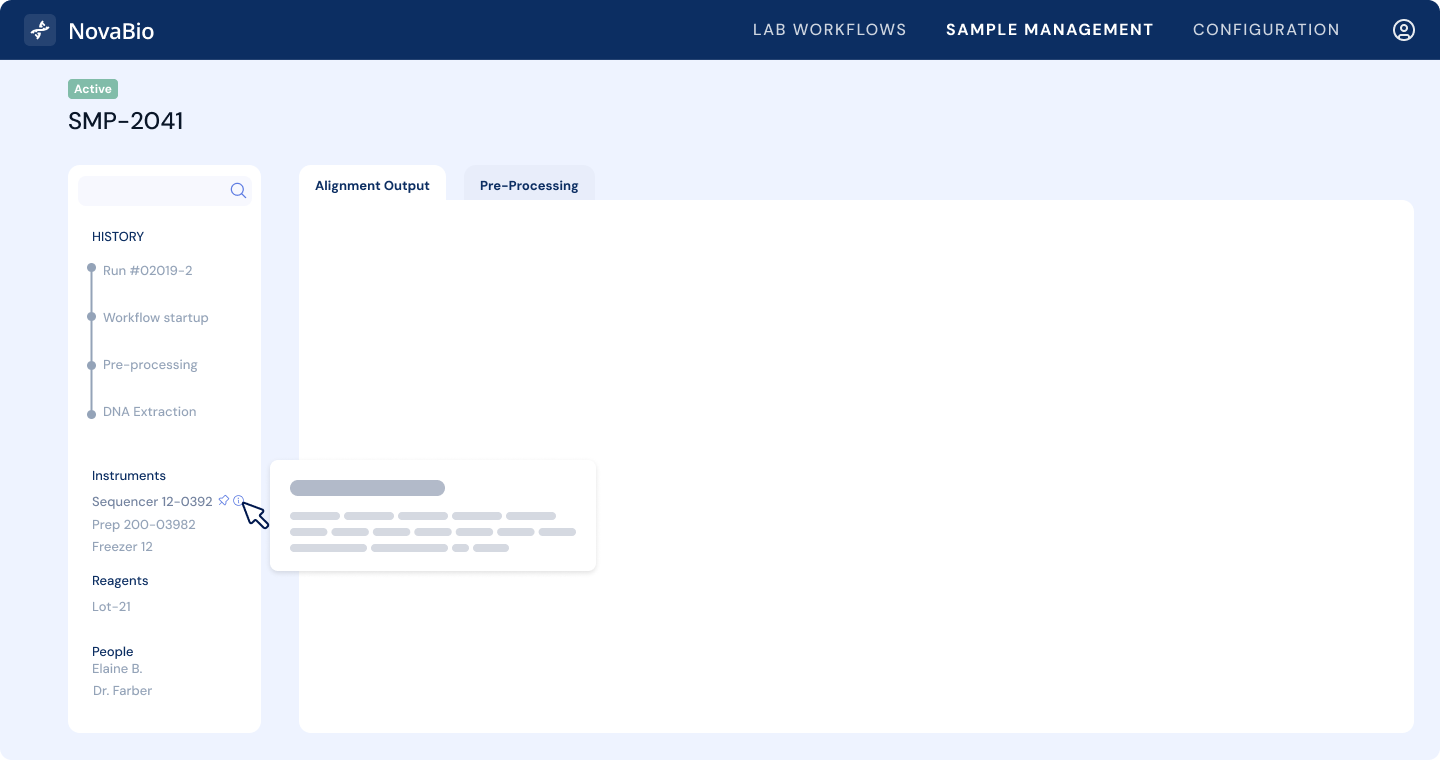
Counterintuitive solutions using interaction and layout rework
As you can see in this experience doesn’t actually remove any detail from the original, it actually adds more reference-ability to the data and allows items that aren’t nested to be referenced. Effectively it introduces more things you can click on and look at at once. This is the exact type of reference that reflects the nuances of enterprise design. The better experience does not reduce detail, it increases detail while delivering an easier to use interface with much more control. This kind of solution is only possible working with specialist designers who work in enterprise user interfaces day in and day out.
If you intuitively feel these approaches are rational but can’t see a way to make this work happen, it might be a sign an external party should help you and your team. Pencil & Paper works with companies of all stages to get to the bottom of navigation debt and take you further than “we have a problem” to “we have robust solutions”. We have the perspective of working with large products and complexity deeper than any other design studio. Product teams come out of collaborations with us thinking more deeply and more able to make meaningful changes to their products after learning how to think like a designer.
This article reflects original methodology developed by Pencil & Paper through client engagements. It does not represent a synthesis of existing UX guidance drawn from public websites, books, or industry documentation.
Do a mini UX audit on your table views & find your trouble spots with this free guide.

Be the first to know about our upcoming release!









.webp)


.webp)

